Best operating system !!!!! Lïnúx
Hello friends this is Shanu and today I m going to tell u about me and most of the developers and programmers most lovable operating system "Linux" kali Linux.......
Firstly u need to get some basic information.
Firstly u need to get some basic information.
Kali Linux
Debian-derived Linux distribution
Kali Linux

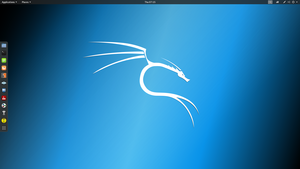 DeveloperOffensive SecurityOS familyLinuxWorking stateActiveLatest release2016.2[1] / August 31, 2016; 6 months agoPlatformsx86, x86-64, armel, armhfKernel typeMonolithic kernelDefault user interfaceGNOME 3LicenseVariousOfficial websitewww.kali.org
Kali Linux is a Debian-derived Linux distribution designed for digital forensics andpenetration testing. It is maintained and funded by Offensive Security Ltd. Mati Aharoni, Devon Kearns and Raphaël Hertzog are the core developers.
Development
Kali Linux is preinstalled with over 300 penetration-testing programs, includingArmitage (a graphical cyber attack management tool), nmap (a port scanner),Wireshark (a packet analyzer), John the Ripper password cracker, Aircrack-ng (asoftware suite for penetration-testing wireless LANs), Burp suite and OWASP ZAP web application security scanners.[2][3] Kali Linux can run natively when installed on a computer's hard disk, can be booted from alive CD or live USB, or it can run within a virtual machine. It is a supported platform of theMetasploit Project's Metasploit Framework, a tool for developing and executing security exploits.[2]
It was developed by Mati Aharoni and Devon Kearns of Offensive Security through the rewrite of BackTrack, their previous forensics Linux distribution based on Knoppix. The third core developer Raphaël Hertzog joined them as Debian expert.[4][5]
Kali Linux is based on Debian Testing. Most packages Kali uses are imported from the Debian repositories.[6]
Kali Linux is developed using a secure environment with only a small number of trusted people that are allowed to commit packages, with each package being signed by the developer. Kali also has a custom-built kernel that is patched for injection. This was primarily added because the development team found they needed to do a lot of wireless assessments.
Requirements
Kali Linux requires a minimum of 10GB hard disk space for installation.A minimum of 512MB RAM for i386 and AMD64 architectures.A bootable CD-DVD drive or a USB stick.
Supported platforms
Kali Linux is distributed in 32-bit and 64-bitimages for use on hosts based on the x86instruction set and as an image for the ARM architecture for use on the BeagleBoardcomputer and on Samsung's ARMChromebook.[7]
The developers of Kali Linux aim to make Kali Linux available for ARM devices.[5]
Kali Linux is already available for BeagleBone Black, HP Chromebook, CubieBoard 2, CuBox, CuBox-i, Raspberry Pi, EfikaMX, Odroid U2, Odroid XU, Odroid XU3, Samsung Chromebook, Utilite Pro, Galaxy Note 10.1, and SS808.[8]
With the arrival of Kali NetHunter, Kali Linux is also officially available on smartphones such as the Nexus 5, Nexus 6, Nexus 7, Nexus 9, Nexus 10, OnePlus One, and some Samsung Galaxy models.
Features
Kali Linux has a dedicated project set aside for compatibility and porting to specific Android devices, called Kali Linux NetHunter.[9]
It is the first Open Source Android penetration testing platform for Nexus devices, created as a joint effort between the Kali community member “BinkyBear” and Offensive Security. It supports Wireless 802.11 frame injection, one-click MANA Evil Access Point setups, HID keyboard (Teensy like attacks), as well as Bad USB MITM attacks.[9]
BackTrack (Kali's predecessor) contained a mode known as forensic mode, which was carried over to Kali via live boot. This mode is very popular for many reasons, partly because many Kali users already have a bootable Kali USB drive or CD, and this option makes it easy to apply Kali to a forensic job. When booted in forensic mode, the system doesn't touch the internal hard drive or swap space and auto mounting is disabled. However, the developers recommend that users test these features extensively before using Kali for real world forensics.[10]
Tools
Kali Linux includes many well known security tools, including:[11]
NmapAircrack-ngKismetWiresharkMetasploit FrameworkBurp suiteJohn the RipperSocial Engineering ToolkitMaltegoEttercapOWASP ZAPIJURED MAP
Popular culture
The logo of Kali Linux appears on the background in the TV series Mr. Robot (2015) in episode 5 of season one. The Kali Linux logo also appears again as wallpaper in scenes from episode 1, episode 9 and more prominently in the episode 6, season 2 of the same series, when it is used by two of the main characters, Angela and Darlene. The operating system is also shown to be downloaded and installed at episode 10 of season 2. It appears again on Romero´s home pc, as wallpaper, through several episodes
This is all the Information of the about kali Linux
Thus is used for hacking For start using Linux u have to download it in your computer,mobile , table etc it is open source which means anyone can use this and easily get access.
Some started command of Linux Here below I were listing A-Z Kali Linux commands which will help you to ease of flow in work.
| Kali Linux commands | Function |
|---|---|
| A | |
| apropos | Search Help manual pages (man -k) |
| apt-get | Search for and install software packages (Debian) |
| aptitude | Search for and install software packages (Debian) |
| aspell | Spell Checker |
| awk | Find and Replace text, database sort/validate/index |
| B | |
| basename | Strip directory and suffix from filenames |
| bash | GNU Bourne-Again Shell |
| bc | Arbitrary precision calculator language |
| bg | Send to background |
| break | Exit from a loop |
| builtin | Run a shell builtin |
| bzip2 | Compress or decompress named files |
| C | |
| cal | Display a calendar |
| case | Conditionally perform a command |
| cat | Concatenate and print (display) the content of files |
| cd | Change Directory |
| cfdisk | Partition table manipulator for Linux |
| chgrp | Change group ownership |
| chmod | Change access permissions |
| chown | Change file owner and group |
| chroot | Run a command with a different root directory |
| chkconfig | System services (runlevel) |
| cksum | Print CRC checksum and byte counts |
| clear | Clear terminal screen |
| cmp | Compare two files |
| comm | Compare two sorted files line by line |
| command | Run a command – ignoring shell functions |
| continue | Resume the next iteration of a loop |
| cp | Copy one or more files to another location |
| cron | Daemon to execute scheduled commands |
| crontab | Schedule a command to run at a later time |
| csplit | Split a file into context-determined pieces |
| cut | Divide a file into several parts |
| D | |
| date | Display or change the date and time |
| dc | Desk Calculator |
| dd | Convert and copy a file, write disk headers, boot records |
| ddrescue | Data recovery tool |
| declare | Declare variables and give them attributes |
| df | Display free disk space |
| diff | Display the differences between two files |
| diff3 | Show differences among three files |
| dig | DNS lookup |
| dir | Briefly list directory contents |
| dircolors | Colour setup for `ls’ |
| dirname | Convert a full pathname to just a path |
| dirs | Display list of remembered directories |
| dmesg | Print kernel & driver messages |
| du | Estimate file space usage |
| E | |
| echo | Display message on screen |
| egrep | Search files for lines that match an extended expression |
| eject | Eject removable media |
| enable | Enable and disable builtin shell commands |
| env | Environment variables |
| ethtool | Ethernet card settings |
| eval | Evaluate several commands/arguments |
| exec | Execute a command |
| exit | Exit the shell |
| expect | Automate arbitrary applications accessed over a terminal |
| expand | Convert tabs to spaces |
| export | Set an environment variable |
| expr | Evaluate expressions |
| F | |
| false | Do nothing, unsuccessfully |
| fdformat | Low-level format a floppy disk |
| fdisk | Partition table manipulator for Linux |
| fg | Send job to foreground |
| fgrep | Search files for lines that match a fixed string |
| file | Determine file type |
| find | Search for files that meet a desired criteria |
| fmt | Reformat paragraph text |
| fold | Wrap text to fit a specified width |
| for | Expand words, and execute commands |
| format | Format disks or tapes |
| free | Display memory usage |
| fsck | File system consistency check and repair |
| ftp | File Transfer Protocol |
| function | Define Function Macros |
| fuser | Identify/kill the process that is accessing a file |
| G | |
| gawk | Find and Replace text within files |
| getopts | Parse positional parameters |
| grep | Search files for lines that match a given pattern |
| groupadd | Add a user security group |
| groupdel | Delete a group |
| groupmod | Modify a group |
| groups | Print group names a user is in |
| gzip | Compress or decompress named files |
| H | |
| hash | Remember the full pathname of a name argument |
| head | Output the first part of files |
| help | Display help for a built-in command |
| history | Command History |
| hostname | Print or set system name |
| I | |
| iconv | Convert the character set of a file |
| id | Print user and group id’s |
| if | Conditionally perform a command |
| ifconfig | Configure a network interface |
| ifdown | Stop a network interface |
| ifup | Start a network interface up |
| import | Capture an X server screen and save the image to file |
| install | Copy files and set attributes |
| J | |
| jobs | List active jobs |
| join | Join lines on a common field |
| K | |
| kill | Stop a process from running |
| killall | Kill processes by name |
| L | |
| less | Display output one screen at a time |
| let | Perform arithmetic on shell variables |
| ln | Create a symbolic link to a file |
| local | Create variables |
| locate | Find files |
| logname | Print current login name |
| logout | Exit a login shell |
| look | Display lines beginning with a given string |
| lpc | Line printer control program |
| lpr | Off line print |
| lprint | Print a file |
| lprintd | Abort a print job |
| lprintq | List the print queue |
| lprm | Remove jobs from the print queue |
| ls | List information about files |
| lsof | List open files |
| M | |
| make | Recompile a group of programs |
| man | Help manual |
| mkdir | Create new folders |
| mkfifo | Make FIFOs (named pipes) |
| mkisofs | Create an hybrid ISO9660/JOLIET/HFS filesystem |
| mknod | Make block or character special files |
| more | Display output one screen at a time |
| mount | Mount a file system |
| mtools | Manipulate MS-DOS files |
| mtr | Network diagnostics (traceroute/ping) |
| mv | Move or rename files or directories |
| mmv | Mass Move and rename files |
| N | |
| netstat | Networking information |
| nice | Set the priority of a command or job |
| nl | Number lines and write files |
| nohup | Run a command immune to hangups |
| notify-send | Send desktop notifications |
| nslookup | Query Internet name servers interactively |
| O | |
| open | Open a file in its default application |
| op | Operator access |
| P | |
| passwd | Modify a user password |
| paste | Merge lines of files |
| pathchk | Check file name portability |
| ping | Test a network connection |
| pkill | Stop processes from running |
| popd | Restore the previous value of the current directory |
| pr | Prepare files for printing |
| printcap | Printer capability database |
| printenv | Print environment variables |
| printf | Format and print data |
| ps | Process status |
| pushd | Save and then change the current directory |
| pwd | Print Working Directory |
| Q | |
| quota | Display disk usage and limits |
| quotacheck | Scan a file system for disk usage |
| quotactl | Set disk quotas |
| R | |
| ram | ram disk device |
| rcp | Copy files between two machines |
| read | Read a line from standard input |
| readarray | Read from stdin into an array variable |
| readonly | Mark variables/functions as readonly |
| reboot | Reboot the system |
| rename | Rename files |
| renice | Alter priority of running processes |
| remsync | Synchronize remote files via email |
| return | Exit a shell function |
| rev | Reverse lines of a file |
| rm | Remove files |
| rmdir | Remove folders |
| rsync | Remote file copy (Synchronize file trees) |
| S | |
| screen | Multiplex terminal, run remote shells via ssh |
| scp | Secure copy (remote file copy) |
| sdiff | Merge two files interactively |
| sed | Stream Editor |
| select | Accept keyboard input |
| seq | Print numeric sequences |
| set | Manipulate shell variables and functions |
| sftp | Secure File Transfer Program |
| shift | Shift positional parameters |
| shopt | Shell Options |
| shutdown | Shutdown or restart linux |
| sleep | Delay for a specified time |
| slocate | Find files |
| sort | Sort text files |
| source | Run commands from a file |
| split | Split a file into fixed-size pieces |
| ssh | Secure Shell client (remote login program) |
| strace | Trace system calls and signals |
| su | Substitute user identity |
| sudo | Execute a command as another user |
| sum | Print a checksum for a file |
| suspend | Suspend execution of this shell |
| symlink | Make a new name for a file |
| sync | Synchronize data on disk with memory |
| T | |
| tail | Output the last part of file |
| tar | Tape Archiver |
| tee | Redirect output to multiple files |
| test | Evaluate a conditional expression |
| time | Measure Program running time |
| times | User and system times |
| touch | Change file timestamps |
| top | List processes running on the system |
| traceroute | Trace Route to Host |
| trap | Run a command when a signal is set(bourne) |
| tr | Translate, squeeze, and/or delete characters |
| true | Do nothing, successfully |
| tsort | Topological sort |
| tty | Print filename of terminal on stdin |
| type | Describe a command |
| U | |
| ulimit | Limit user resources |
| umask | Users file creation mask |
| umount | Unmount a device |
| unalias | Remove an alias |
| uname | Print system information |
| unexpand | Convert spaces to tabs |
| uniq | Uniquify files |
| units | Convert units from one scale to another |
| unset | Remove variable or function names |
| unshar | Unpack shell archive scripts |
| until | Execute commands (until error) |
| uptime | Show uptime |
| useradd | Create new user account |
| usermod | Modify user account |
| users | List users currently logged in |
| uuencode | Encode a binary file |
| uudecode | Decode a file created by uuencode |
| V | |
| v | Verbosely list directory contents (`ls -l -b’) |
| vdir | Verbosely list directory contents (`ls -l -b’) |
| vi | Text Editor |
| vmstat | Report virtual memory statistics |
| W | |
| wait | Wait for a process to complete |
| watch | Execute/display a program periodically |
| wc | Print byte, word, and line counts |
| whereis | Search the user’s $path, man pages and source files for a program |
| which | Search the user’s $path for a program file |
| while | Execute commands |
| who | Print all usernames currently logged in |
| whoami | Print the current user id and name (`id -un’) |
| wget | Retrieve web pages or files via HTTP, HTTPS or FTP |
| write | Send a message to another user |
| X | |
| xargs | Execute utility, passing constructed argument lists |
| xdg-open | Open a file or URL in the user’s preferred application |
| Y | |
| yes | Print a string until interrupted |


Comments
Post a Comment